
Every Shopify Plus store we inherit has the same hidden tax. It is not the platform fee, and it is not the app bill. It is a person, usually two or three people, doing the same small jobs by hand every single day: tagging customers, flagging dodgy orders, pinging the warehouse when stock runs low, copying data from one system into another. None of it shows up on a P&L line called “manual ops,” but it is there, and on a brand turning over a few million dollars a year it quietly costs an entire salary.
Shopify Flow is the tool that kills that tax, and in 2025 and into 2026 it became dramatically more capable. It is now free on every Shopify plan from Basic up, it builds workflows from a plain-English sentence, and it can test a workflow against real store data before it ever touches a live order. For a Plus merchant, a well-built Flow layer is the difference between a team that scales linearly with order volume and one that does not.
This is how we think about Flow at Insiteful, the exact workflows we build first for every Plus client, and the build details that decide whether an automation saves you money or quietly creates a mess.
What Shopify Flow actually is (and what changed in 2025-26)
Flow is Shopify’s native automation engine. It watches your store for an event, checks a set of conditions you define, and then performs one or more actions, all inside Shopify with no external server, no middleware subscription, and no API keys to rotate. If you have ever used Zapier or Make, the mental model is identical. The difference is that Flow runs inside the platform, reads and writes Shopify data with zero latency, and costs nothing.
For years Flow was a Plus-only feature, which is why most standard-plan merchants never learned it existed. That changed. Flow is now available free on Basic, Grow, Advanced and Plus, with unlimited workflows and no usage caps. The only plan excluded is Shopify Starter. This matters for our migration clients: a brand moving up from WooCommerce or a lower Shopify tier now inherits the automation engine on day one rather than having to justify a Plus upgrade for it.
The bigger shift is what landed across 2025 and into the Winter ’26 Edition. Three changes are worth knowing because they change how we build:
- Sidekick builds workflows from a sentence. You can tell Shopify’s AI assistant “tag customers as VIP when they place an order over $200” and it returns a complete workflow, trigger, condition and action, ready to review. It is genuinely fast for first drafts. It is also where most teams go wrong, because complex multi-branch logic still needs a human to refine it.
- You can preview and test a workflow before activating it. Flow now lets you run a workflow against existing shop data, or against a Sidekick-generated sample, and watch the execution path without touching real orders or customers. This single feature has removed the scariest part of automation: shipping something that silently mutates live data.
- Run management and a redesigned editor. You can now cancel runs that are waiting or stuck retrying after an error, and the editor moved to a vertical layout by default, with all existing workflows migrating to vertical from January 2026. The configuration panel sits on the left, Sidekick on the right, so you see the workflow, the suggestion and the settings at once.
The net effect: Flow went from a power-user tool that was risky to deploy into something we can hand to a client’s ops manager with confidence. But the engine is only as good as the workflows you put into it, and that is an architecture problem, not a button-clicking one.
The anatomy of a workflow: trigger, condition, action
Every Flow workflow, no matter how complex, is built from three primitives. Get the mental model right and the rest is detail.
A trigger is the event that starts the workflow: an order is created, a customer is created, inventory quantity changes, a product is added to a draft order, a fulfilment is created. A condition is the logic that decides whether to proceed: order total greater than a threshold, customer tag contains a value, risk level equals high, inventory quantity less than a reorder point. An action is what Flow does: add a tag, send an internal email, send data to an HTTP endpoint, add the order to a manual hold, update a metafield.
Here is how we document a workflow before we build it. This plain spec is the artefact we sign off with a client, because it reads the same whether you are a developer or a founder:
WORKFLOW: Flag high-value first order as VIP
TRIGGER:    Order created
CONDITION:  order.totalPriceSet.shopMoney.amount  >  200
        AND customer.numberOfOrders  ==  1
ACTION 1:   Add customer tag  ->  "VIP-first-order"
ACTION 2:   Send internal email  ->  retention@brand.com.au
ACTION 3:   Wait 3 days
ACTION 4:   Add customer to Klaviyo list  ->  "VIP welcome"
Notice the Wait 3 days step. Flow supports time delays natively, which means a single workflow can orchestrate something that unfolds over days without any external scheduler. That is the capability most teams miss, and it is where Flow stops being “tagging” and starts being genuine operational orchestration.
The five automations we build first for every Plus client
When we onboard a Plus build, we do not try to automate everything at once. We deploy a core set of five workflows that, in our experience across Australian DTC and B2B stores, remove the bulk of the daily manual load. Here they are, with the build spec for each.
1. Customer segmentation by value and behaviour
Tagging is the single most common automation on Shopify, accounting for around 14% of all workflows built and a quarter of all natural-language automation requests in early 2026. Customer-management workflows as a whole make up roughly 22% of everything built. There is a reason: tags are the connective tissue between Shopify, your email platform and your ad audiences.
We build a tiering workflow that tags customers as they cross spend and frequency thresholds, so segments stay current without anyone touching a spreadsheet.
TRIGGER:    Order paid
CONDITION:  customer.amountSpent.amount  >=  1000   (AUD lifetime)
ACTION:     Add customer tag  ->  "tier-gold"
--- branch ---
CONDITION:  customer.numberOfOrders  >=  5
ACTION:     Add customer tag  ->  "repeat-buyer"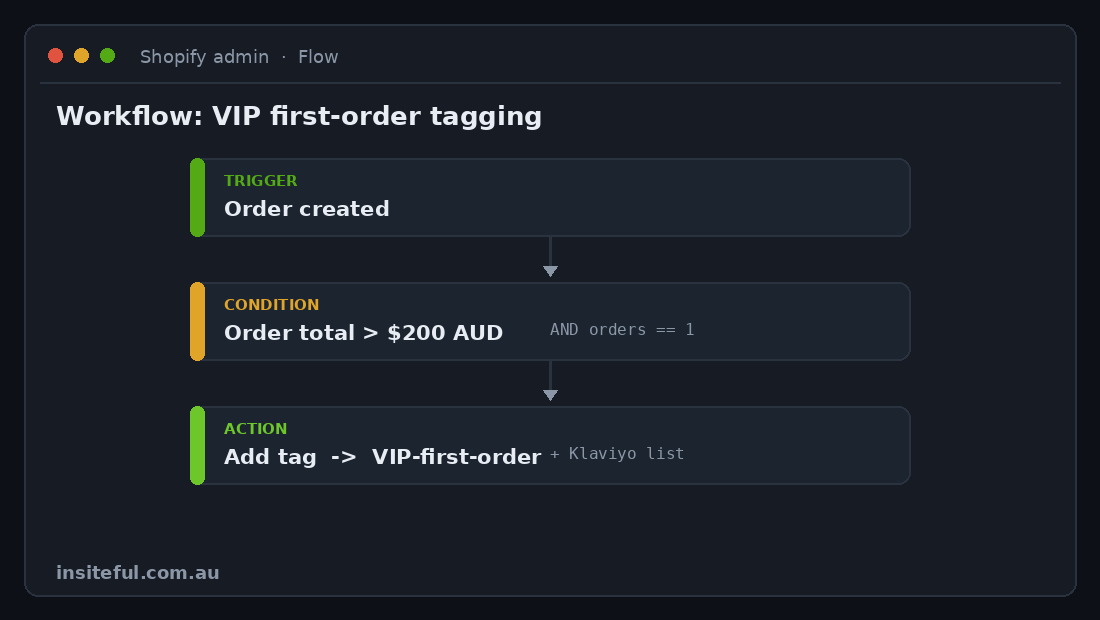
Those tags then drive Klaviyo flows and Shopify customer segments automatically. No export, no re-import, no human deciding who is a VIP this week.
2. High-risk order hold
Fraudulent and high-risk orders are a margin leak that ops teams catch late, after the parcel has shipped. Flow can intercept them at the moment of creation.
TRIGGER:    Order created
CONDITION:  order.risks.recommendation  ==  "cancel"  OR  "investigate"
ACTION 1:   Add order to manual hold (do not fulfil)
ACTION 2:   Add order tag  ->  "review-fraud"
ACTION 3:   Send internal email  ->  ops@brand.com.au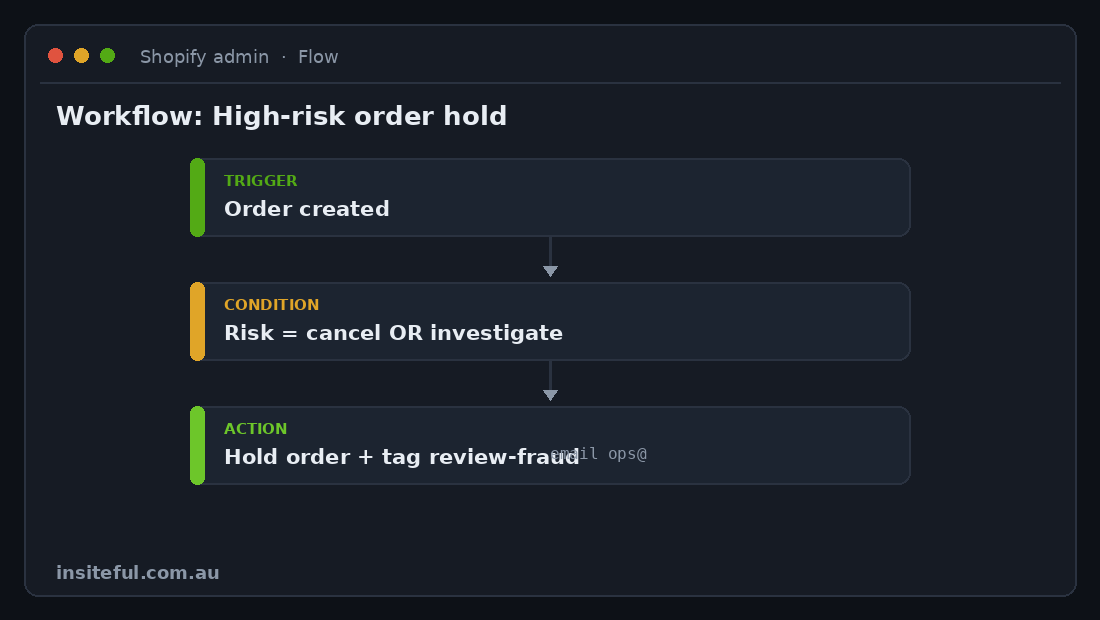
The order sits on hold, tagged and visible, until a human clears it. For a store shipping a few hundred orders a day, catching even a handful of chargebacks a month pays for the entire automation programme several times over.
3. Low-stock reorder alerts
Stockouts and overstocking cost retailers an estimated $1.77 trillion globally, and real-time inventory tracking improves stock accuracy by around 35%. Most of that pain comes from nobody noticing a SKU is running down until it is gone.
TRIGGER:    Inventory quantity changed
CONDITION:  inventory.available  <  15
        AND  product.tags  contains  "core-range"
ACTION 1:   Send internal email  ->  purchasing@brand.com.au
ACTION 2:   Send HTTP request  ->  Slack #stock-alerts webhook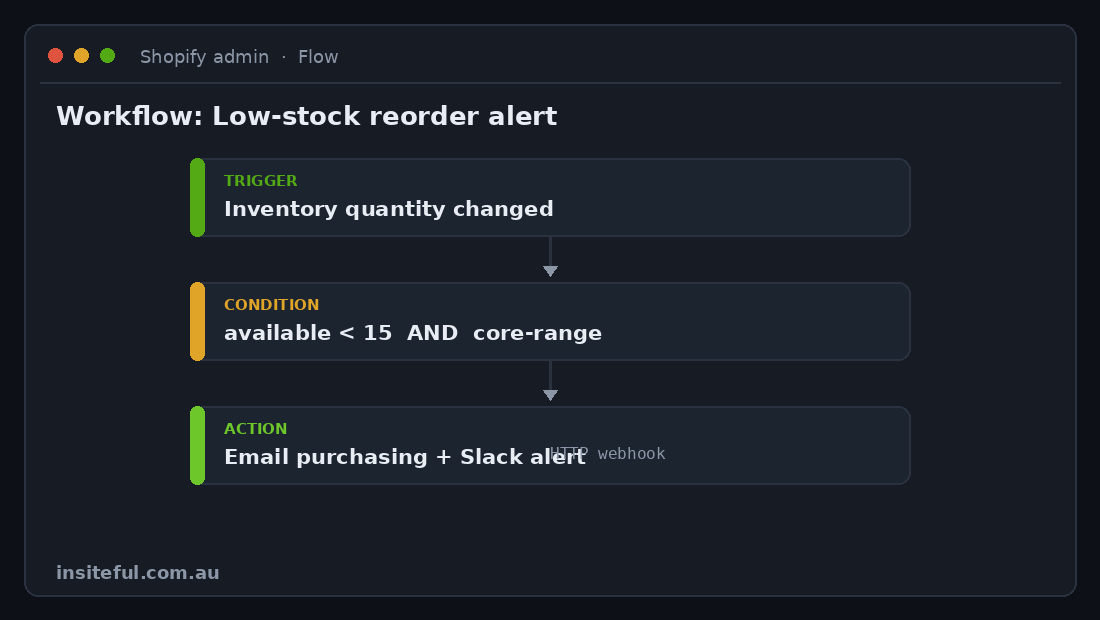
This is the workflow clients feel immediately. The buyer stops finding out about stockouts from an angry customer email and starts finding out from a Slack ping three weeks earlier.
4. B2B and wholesale account routing
On stores running a mix of retail and wholesale, new B2B registrations need tagging, a price list assignment and a human approval step. Doing that by hand introduces a delay that costs deals.
TRIGGER:    Customer created
CONDITION:  customer.email  ends with  recognised trade domain
         OR registration form field "business_abn" is present
ACTION 1:   Add customer tag  ->  "wholesale-pending"
ACTION 2:   Send internal email  ->  sales@brand.com.au for approval
ACTION 3:   Add to Shopify segment  ->  "B2B applicants"
We pair this with the company and catalogue logic in Shopify’s native B2B tooling. If you are weighing that architecture, we covered it in depth in our piece on connecting Shopify to ERP systems like NetSuite, Cin7 and Unleashed, because wholesale automation and inventory sync are the same problem viewed from two angles.
5. Post-purchase and review routing
Cart abandonment sits at around 70% across ecommerce, and on mobile it is closer to 85%. The orders that do convert are precious, so the post-purchase experience has to be tight. Flow can route customers into the right follow-up based on what they bought.
TRIGGER:    Order fulfilled
CONDITION:  order.lineItems  contains product in "first-time-buyer-kit"
ACTION 1:   Wait 7 days
ACTION 2:   Add customer to Klaviyo list  ->  "review-request-kit"
--- else ---
ACTION:     Add customer to Klaviyo list  ->  "standard-nps"
For the deeper email-and-reviews architecture this feeds into, our breakdown of wiring Klaviyo, Yotpo and Gorgias together walks through how Flow tags become the trigger layer for the entire retention stack.
Connecting Flow to the rest of your stack
Flow is not an island. Its real power on a Plus store is as the orchestration layer that sits between Shopify and everything else. There are three connection methods, and choosing the right one per workflow is most of the craft.
| Method | Best for | Build note |
|---|---|---|
| Native connectors (Klaviyo, ShipStation, etc.) | Apps that publish Flow triggers and actions | Zero code. The app installs its own Flow steps. Always prefer this. |
| Send HTTP request action | Slack, internal APIs, custom endpoints | Flow POSTs a JSON payload to any URL. This is how we hit webhooks and bespoke services. |
| Metafield read/write actions | Storing state, driving theme logic | Flow can write a metafield that your Liquid theme then reads. Powerful and overlooked. |
The Send HTTP request action is the one we lean on hardest. A representative Slack alert payload looks like this:
POST  https://hooks.slack.com/services/XXX/YYY/ZZZ
Content-Type: application/json

{
  "text": "Low stock: {{ product.title }} is down to
           {{ inventory.available }} units at {{ location.name }}"
}
Those {{ }} fields are Flow’s Liquid variables, the same templating language your theme uses, which means anyone who can edit a Shopify theme can already read and write Flow payloads. That shared language is a big reason we standardise on Flow rather than an external tool a client’s team cannot maintain.
Where Flow beats Zapier and external middleware
We get asked this on most scoping calls, usually by a team already paying for Zapier or Make. The honest answer is that for anything that lives and dies inside Shopify, Flow wins on three axes.
Cost. Zapier and Make charge per task or per operation. A store running tens of thousands of automated actions a month can easily spend $200 to $500 AUD a month on a middleware plan. Flow runs the same volume for nothing. Over a year that is real money a Plus merchant keeps.
Latency and reliability. Flow reads and writes Shopify data directly. There is no round trip out to a third-party server and back, no webhook that silently fails at 2am, no API rate limit shared across every Zap in your account. For order-time logic like fraud holds, that immediacy matters.
Maintainability. When a client’s automation lives in Flow, it lives in Shopify admin where their team already works. When it lives in a Zapier account owned by a contractor who has since left, it becomes a black box nobody dares touch. We have untangled enough of those to treat external middleware as a liability unless the workflow genuinely needs to reach systems Shopify cannot.
The honest counterpoint: when a workflow has to coordinate three or four external SaaS tools that have no Shopify presence, a dedicated integration platform is the right call. We are not dogmatic. We are just clear that most “we need Zapier” requests are actually Flow jobs that nobody built properly.
The mistakes that quietly break Flow builds
Flow is forgiving until it is not. These are the failure modes we audit for on every build, because each one has bitten a store we later inherited.
Trigger loops. A workflow that updates a customer tag on the “customer created or updated” trigger can re-trigger itself, spiralling into thousands of runs. The fix is a guard condition that checks whether the tag already exists before adding it, so the action becomes a no-op on the second pass.
Tag sprawl. Six months of unplanned tagging leaves a store with hundreds of near-duplicate tags: VIP, vip, VIP-2025, vip_customer. We define a tag taxonomy up front and never let a workflow invent a tag that is not in it.
Silent failures on external calls. An HTTP request to a webhook that returns an error does not stop the world; the run just fails. Without monitoring you never know. We build a parallel “did this run” check on critical workflows and surface failures into the same Slack channel as the alerts themselves.
Over-automating judgement calls. The temptation is to fully automate things that should stay human, like cancelling orders or issuing refunds. We deliberately stop Flow at the “flag and hold” line on anything that moves money. Automation routes the decision to a person faster; it should rarely make the decision.
How we do it at Insiteful
We treat Flow as infrastructure, not a collection of one-off automations a junior bolts on when someone complains. Every Plus build we run follows the same sequence.
First, we run an ops audit. We sit with the team and map every repetitive task they touch in a week: what triggers it, what they check, what they do. That list becomes the automation backlog, prioritised by hours saved and error risk. On a typical mid-sized Australian Plus store this surfaces eight to twelve workflows worth building, and the order-to-fulfilment and inventory tasks alone usually represent two to four hours of manual entry a day.
Second, we write the spec before we touch the editor, in the plain trigger-condition-action format shown earlier in this article. The client signs off on the logic in language they understand, which means there are no surprises when the workflow goes live.
Third, we build and test against real data using Flow’s preview mode, watching the execution path on sample orders and customers before anything is activated. Nothing ships that has not been run against the store’s own history.
Fourth, we instrument the critical workflows so failures are visible, and we document the tag taxonomy and webhook endpoints so the client’s team can maintain and extend the system without us. The goal is never to make the brand dependent on the agency. It is to leave behind an automation layer they own.
The brands that get the most from this are the ones that pair it with the rest of their Plus toolkit. Flow is the connective tissue between Shopify Functions, which customise the commerce logic itself, and event-driven tools like Launchpad for timed sales events. Built together, they turn Plus from an expensive plan into an operating system.
The bottom line
A Plus store without a deliberate Flow layer is paying for a person to do what the platform will do for free, instantly, without errors, around the clock. The tool got materially better in 2025 and 2026, free on every plan, AI-assisted, and safe to test before deployment, which removes the last reasons not to build it properly. What it still requires is architecture: the right workflows, the right conditions, guard rails against loops and runaway tagging, and the discipline to keep humans on the decisions that move money.
Get that right and the savings are not theoretical. Plus merchants running a mature set of twenty or more Flow workflows save an estimated $50,000 to $100,000 a year in labour, which at the upper end is more than a full-time ops salary in Australia. That is the number we point to when a founder asks whether automation is worth the build cost.
If your team is still tagging customers, chasing stock and flagging orders by hand, that is the first thing we would fix. Book a build assessment and we will map your manual ops to a Flow backlog, show you the hours it gives back, and tell you honestly which workflows are worth automating and which should stay human.